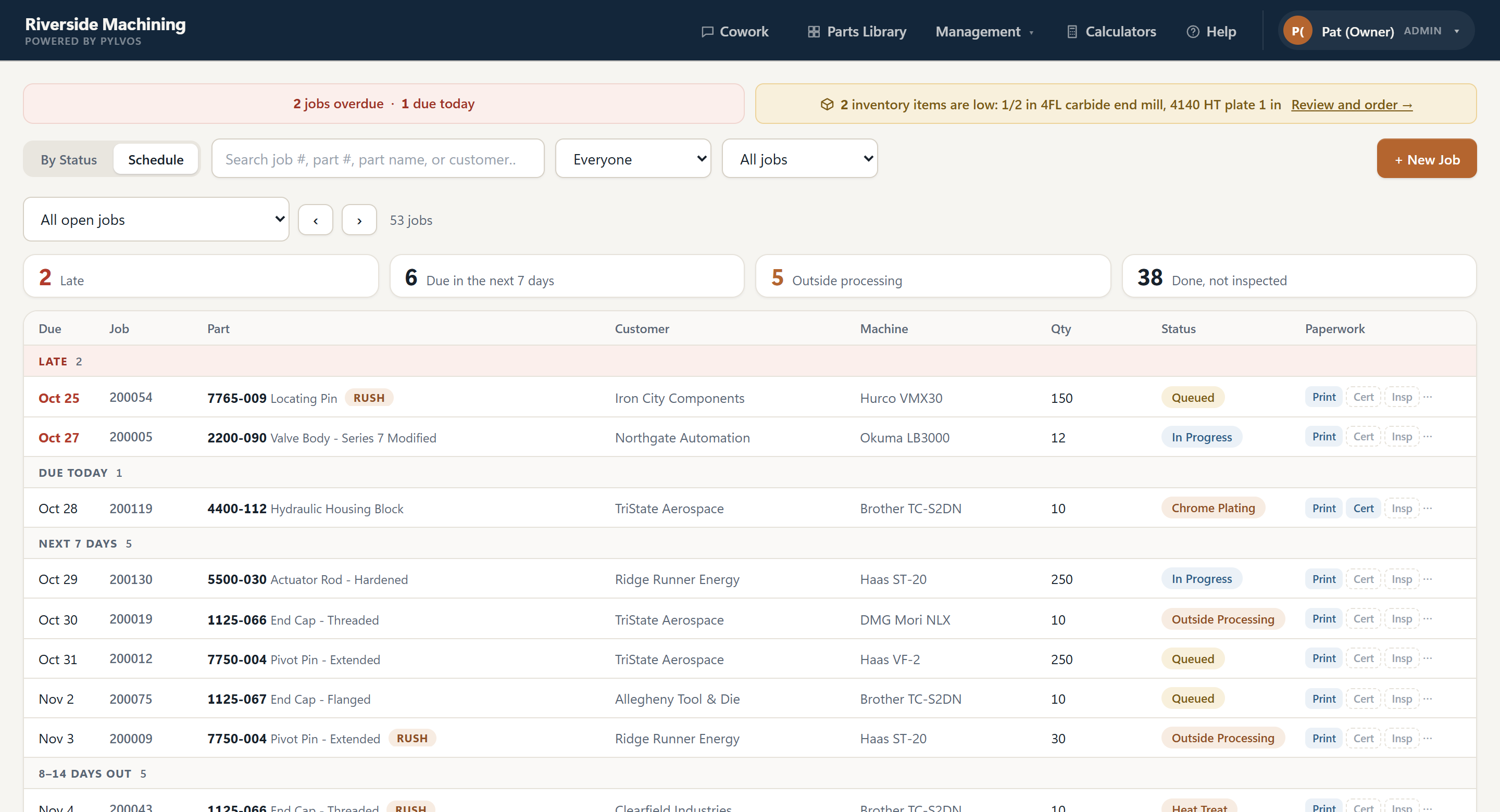
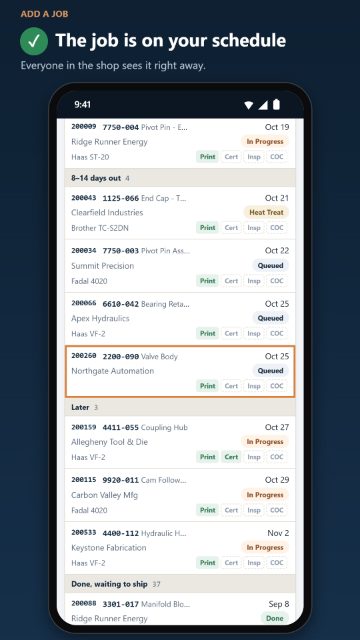
Every job, print, material cert and due date on one board your whole shop can see. It runs on a PC in your shop, so your data is kept there, not on our servers.
The real software with a sample shop in it. No sign-up, nothing to install.
Get Started Free Watch how it worksFree for up to 3 people, no card needed · Standard $40/month for your whole shop
Installs on a Windows PC at your shop · Everyone uses it from any phone, tablet or computer
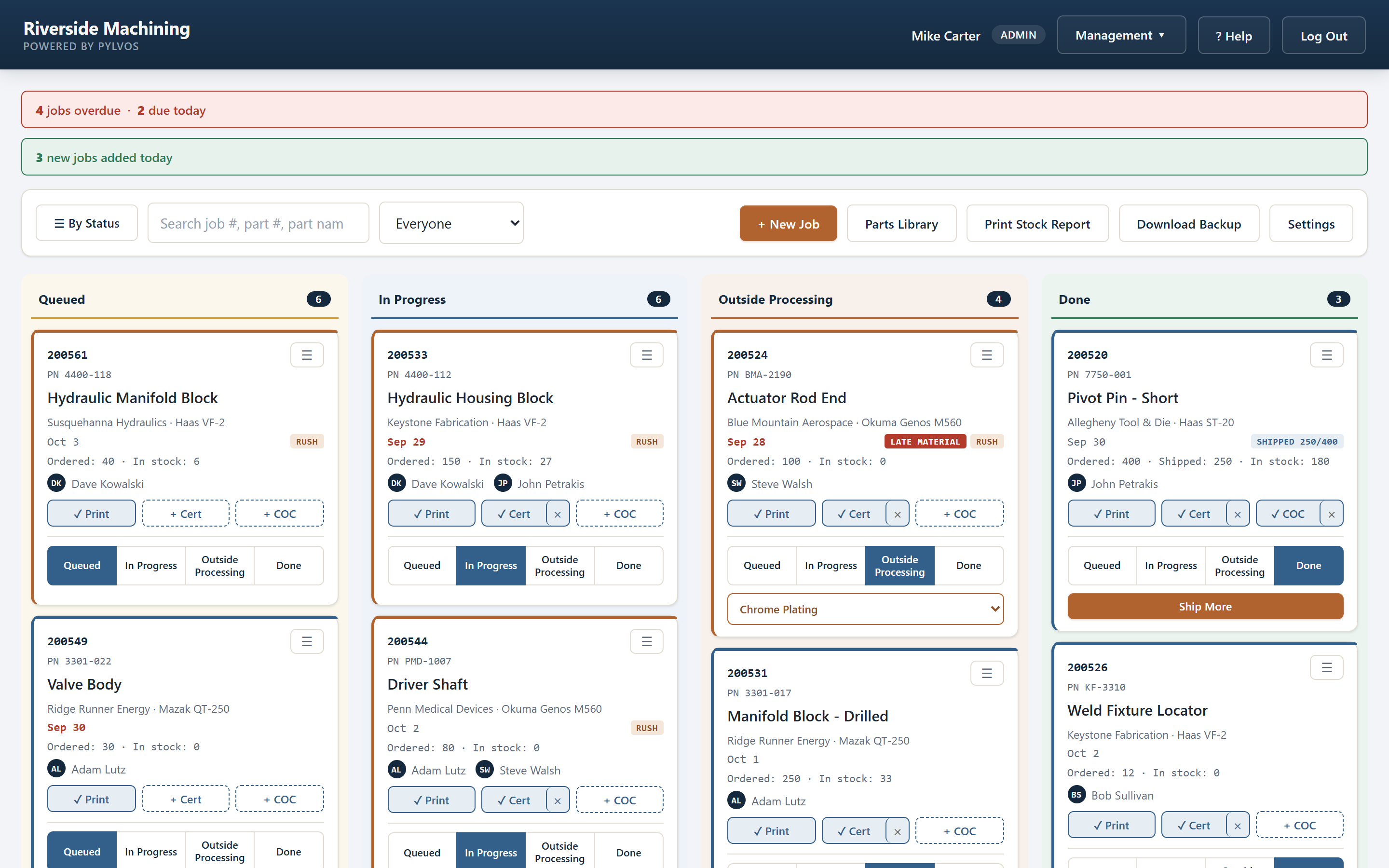
Late jobs, missing paperwork, and work that loses money without anyone noticing.
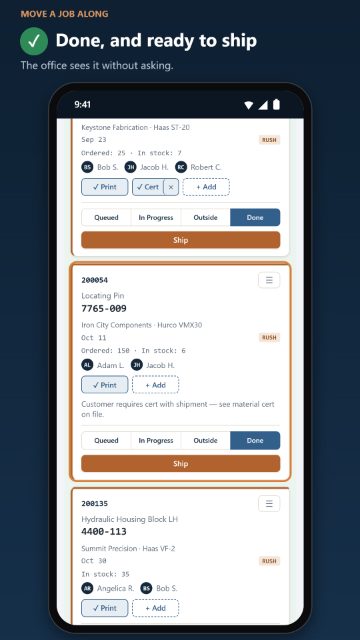
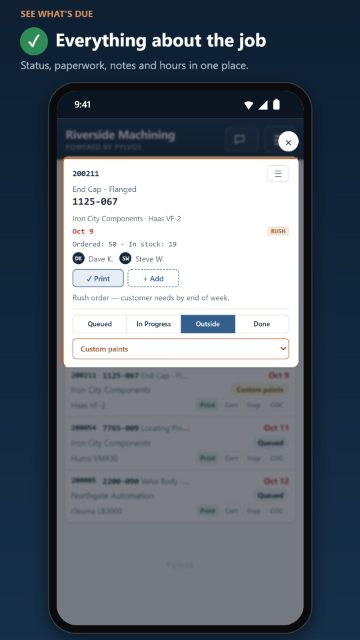
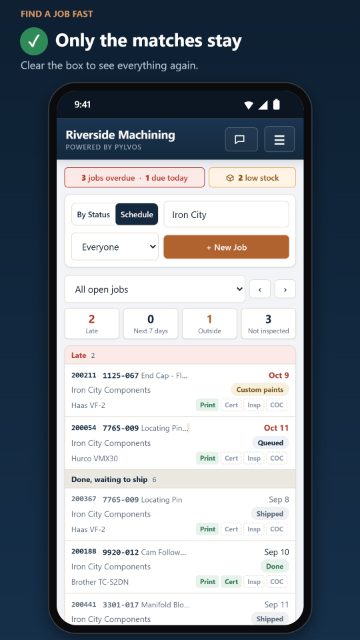
Overdue and due-today jobs are flagged the moment you open Pylvos. Rush jobs stand out, outside processing has its own column, and a job waiting on material shows LATE MATERIAL when its purchase order is past due.
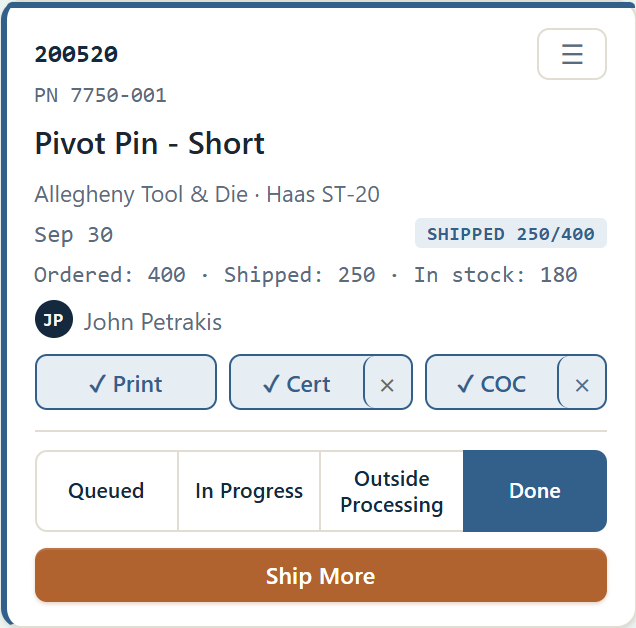
Every job card carries its part print, the material cert and the signed Certificate of Conformance. Fill in the COC on screen and sign it, or print it, sign it and snap a photo with your phone. When a customer asks for it six months later, it's one tap away.
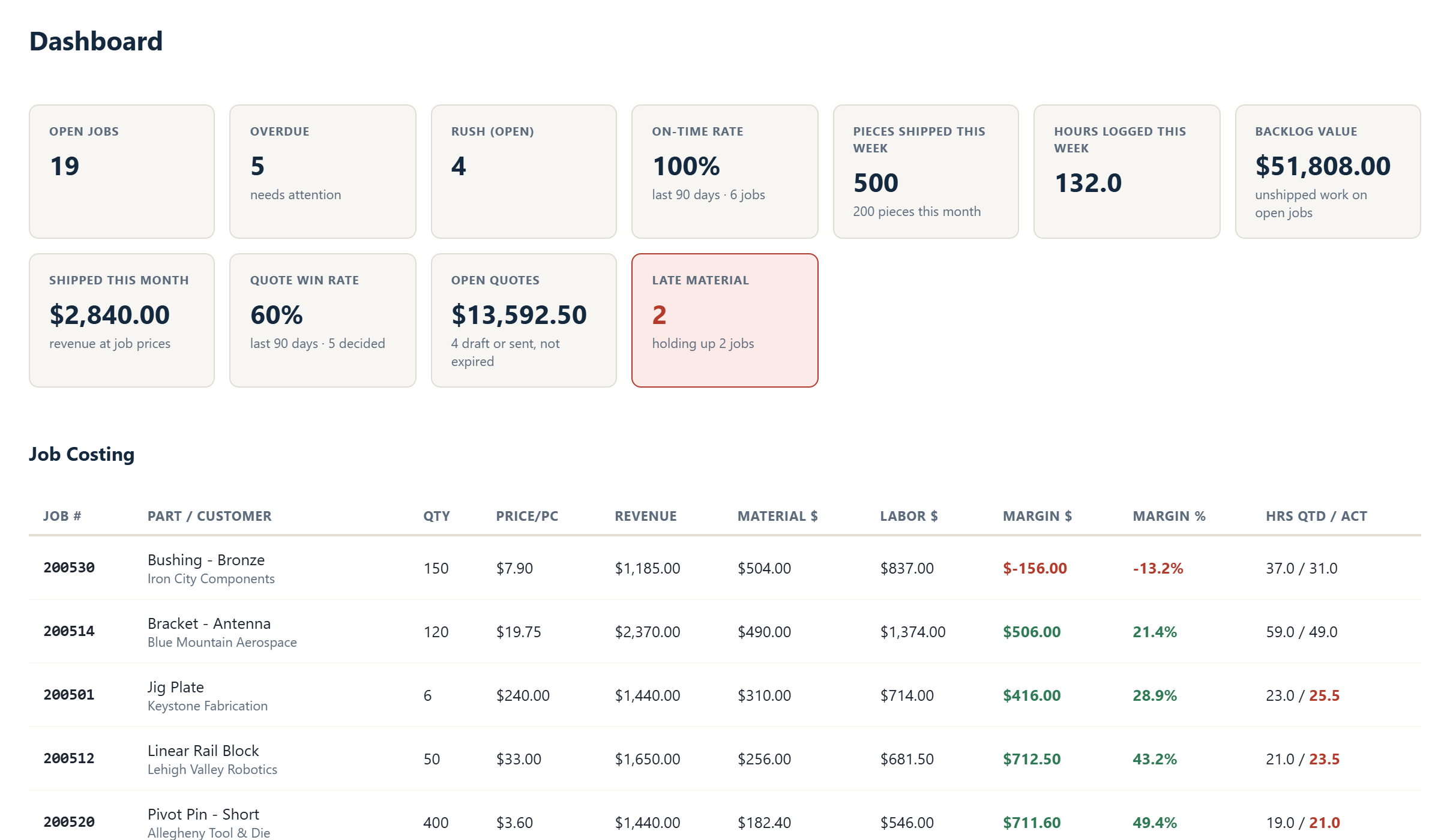
Quote from real setup time, cycle time and material, then turn the winners into jobs in one click. As material is bought and hours are logged, Pylvos shows the margin on every job, worst first.
Free for up to 3 people. No card, no time limit.
Get Started FreePylvos started as the in-house system at a small precision machine shop in eastern Pennsylvania. Jobs got lost in spreadsheets, prints were buried in folders, and nobody could see what was running without walking out to the machines.
That shop still runs on it. Every feature is something it needed first.
Drawings, material certs and customer details are kept on your shop PC, not on our servers or anyone's cloud. We never see them, so there's nothing on our side to leak, sell or hand over.
Keeping that PC safe is up to you, and Pylvos helps: it shows whether Windows drive encryption (BitLocker) is on, and backs itself up every night to a USB drive or OneDrive folder. Work under ITAR or other export rules? Talk to us first.
How your data is stored and protected →Prints, certs, COCs, quotes and customer contacts live on the PC at your shop.
Pylvos sends us a once-a-day license check, nothing more. Remote access passes through our relay encrypted, so we can't read it.
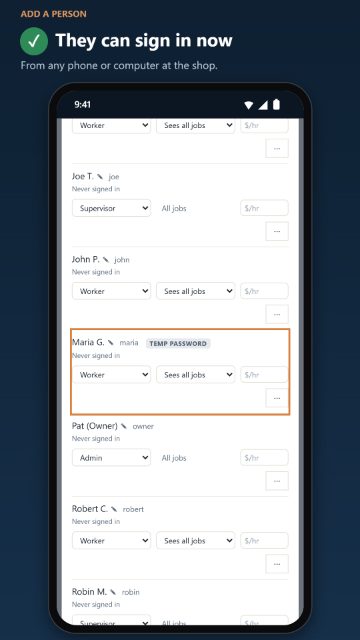
Everyone signs in with their own account. Workers see only what they need, and you choose who can open it from outside.
Pylvos backs itself up every night to a USB drive or OneDrive folder. A backup file is useless to anyone without your password.
One system instead of a whiteboard, a spreadsheet and a folder of prints.
Part numbers, stock on hand and the print for each part. Import a whole folder of prints, or your parts list from a spreadsheet.
Type pylvos.local or scan a QR code on your Wi-Fi. Nothing to install.
Who moved a job, when, and what changed. Comments live on the job, not in texts.
Automatic every night to a USB drive or OneDrive folder, prints and certs included, locked with your password.
Auto-numbered, priced from labor and material, printed with your terms.
Tied to jobs, printed for your supplier, with on-time delivery tracking.
Open jobs, on-time rate, win rate and sales for every customer on one screen.
Turn shipments into a QuickBooks Online invoice import file.
Watch the 30-second overview, try the real software, or see how the everyday jobs are done. Each video is under a minute.
The real software with a sample machine shop in it. No sign-up, nothing to install. Works on your phone too.
Short how-to videos (open on YouTube)
One price for your whole shop, whether that's 4 people or 40. No per-seat fees, no setup fee, no contract.
Not sure which? Start on Free and upgrade any time; your key switches over by itself. Compare plans
On a Windows PC in your shop. Pylvos runs there as a background service, and your jobs, parts, prints and certs are stored on that PC, not on our servers. All we receive is a once-a-day license check. If you turn on remote access, your pages pass through our relay encrypted, so we can't read them. See how your data is stored and protected.
No. Pylvos runs on any Windows 10 or 11 PC or laptop you already have, even the office computer, alongside everything else on it. It's light: about 100 MB to install, and in our tests with 20 people using it at once it needed about as much memory as a browser tab or two and hardly any processor. Storage is only limited by the PC's own drive: thousands of jobs take a few megabytes, and prints, certs and photos take whatever the files themselves take. The one thing it needs is to stay on and at the shop during working hours (a laptop is fine if it stays there, plugged in). If it's ever off, nothing is lost, and everyone's back in as soon as it's on again.
As many as your shop has. Free covers up to 3 people; Standard has no limit and no per-person price. In our tests, 20 people using it at once needed about as much memory as a browser tab or two, and with ten years of a busy shop's jobs (about 30,000) the board and lists still opened in under half a second.
The shop keeps working. Pylvos runs on your own network, so the board, prints and certs are all still there, and the license check catches up when the connection is back. Only after two weeks without internet do Standard's extra features pause, until it reconnects.
A few minutes. The installer takes about a minute on any Windows PC on your network; then enter your key, name your shop and add your people. Then anyone on your Wi-Fi opens pylvos.local in a browser.
No. If you can install a program on Windows, you can install Pylvos. There's no server to configure and no router settings to change.
Yes, from the self-serve billing portal, with no contract. Your data stays on your PC and nothing is deleted; Pylvos simply drops back to the Free plan. See pricing for details.
Set it up this afternoon on a PC you already have. Free for up to 3 people.
Pylvos installs on a Windows PC at your shop, but you can try it on this phone first: the live demo is the real software with a sample shop in it.
Questions? Email sales@pylvos.com. We answer within one business day.